
Desktop package
AED 499
For users who want to install the app and use the standard review workflow.
- Windows desktop application
- Local processing and Excel/CSV export
- Practice documents and getting-started guidance
Invoices & receipts to Excel · Preview release
From a pile of documents to a checked spreadsheet.
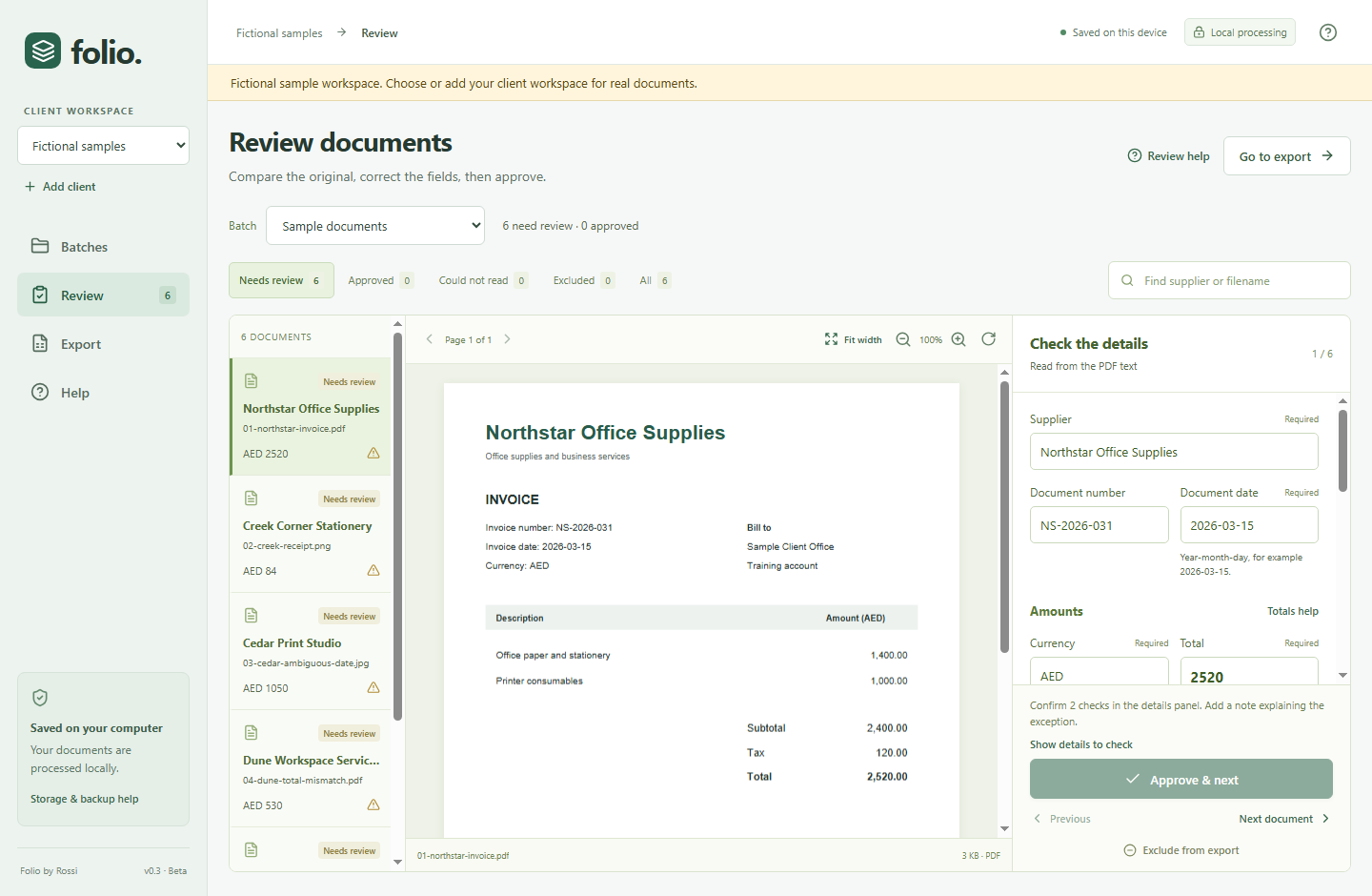
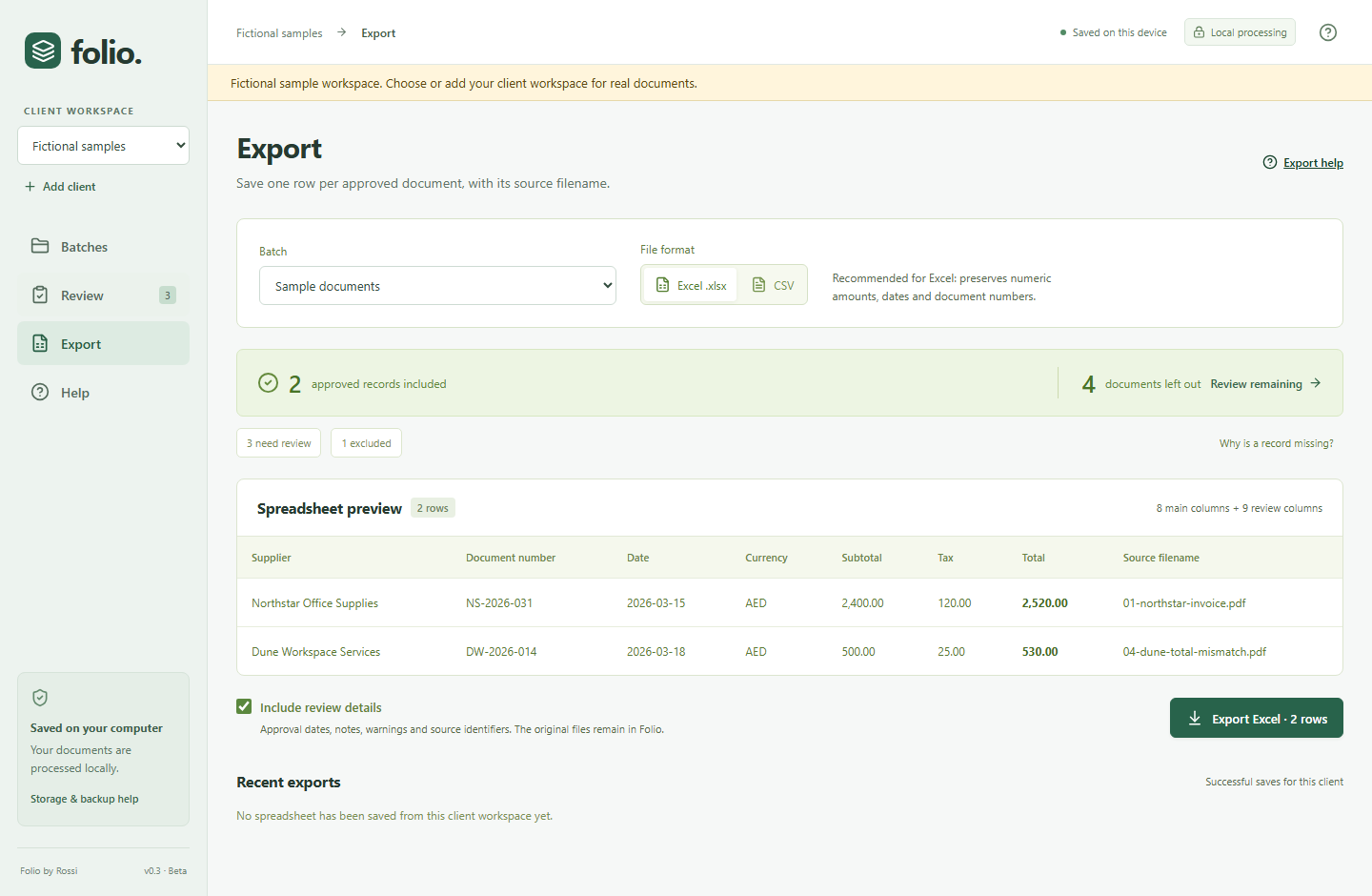
Review invoice and receipt details beside the original document, correct what needs attention and export approved records to Excel or CSV.
In testing. Purchase enquiries are welcome; payment opens after release checks.
Designed forBookkeepers & business administrators
How it runsWindows desktop · Works offline
Current version0.3.0-beta.2
The everyday problem
Supplier names, document numbers, dates and totals can take time to enter consistently. Folio brings extraction and human review together, so you can compare each record with its source before it reaches a spreadsheet.
Independent bookkeepers and small business administrators who enter clearly printed English invoice and receipt details into spreadsheets.
What it helps you do
Inside the product
Import documents, review the extracted details, resolve warnings and approve each record. Then choose the records to export.
Planned launch pricing · AED
These are proposed launch prices. Final availability, scope and terms are confirmed before purchase.
AED 499
For users who want to install the app and use the standard review workflow.
AED 1,799 total
The desktop app plus help configuring an agreed document-review workflow.
An enquiry does not place an order or take payment. Email rossi.workline@gmail.com directly if you prefer.
Contact rossi.workline@gmail.com. Included onboarding and support duration will be agreed with the package.
Verified replacement installers are installed manually. Update entitlement will be confirmed before purchase.
The proposed licence covers desktop use by one business. Device scope and final terms will be confirmed before purchase.
Purchase, cancellation and refund terms will be provided before payment is enabled.